How Remote Bookkeepers Handle AP, AR & More
Helping business owners gain financial clarity, improve cash flow, and increase profitability.
What’s Covered on This Page
- Remote Bookkeepers Manage AP and AR Through Secure Digital Workflows
- How does a remote bookkeeper get my vendor bills if they’re not in my office?
- What happens if a client in Teaneck doesn’t pay an invoice on time?
- Is it safe to give a remote bookkeeper access to my financial accounts?
- What’s the difference between accounts payable and accounts receivable?
- Do Teaneck home service businesses really need help with accounts payable, or can they handle it themselves?
- Does a remote bookkeeper only work with digital invoices, or can they handle paper documents too?
Need how do remote bookkeepers handle accounts payable, accounts receivable, and more??
Book A Free Consultation. Call Capgro Bookkeeping Services LLC now.
Remote Bookkeepers Manage AP and AR Through Secure Digital Workflows
The answer to how remote bookkeepers handle accounts payable, accounts receivable, and more is found in secure technology. Cloud-based accounting software like QuickBooks Online enables your bookkeeper to log in and perform their duties from any location, Teaneck included.
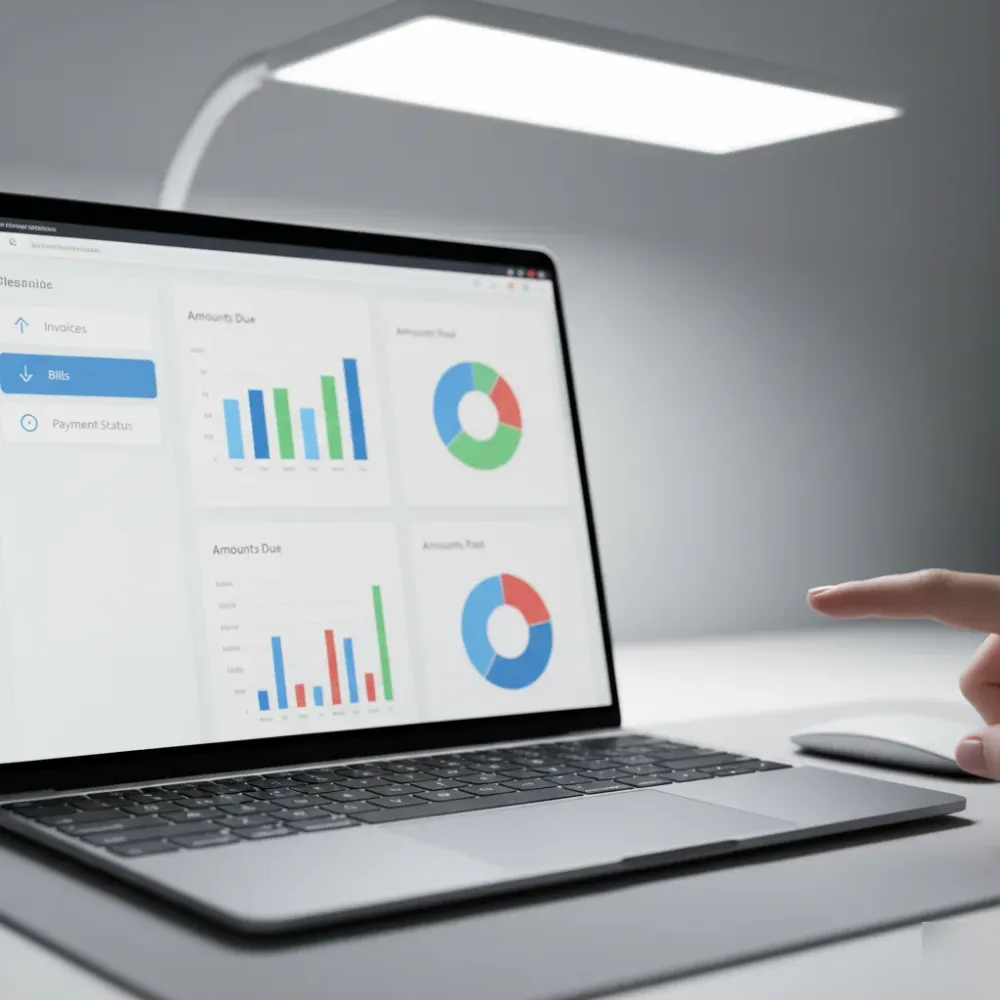
The entire workflow is managed through shared digital access, not by sharing physical office real estate.
Consider the daily reality of a service provider. A team member might take a photo of a paper invoice with a smartphone. That image instantly uploads to a designated folder or straight into QuickBooks Online. The remote bookkeeper receives the document, verifies the charge, categorizes the expense, and arranges for the bill to be paid. The client never needed to print the document, drive to the bank, or hunt through a physical cabinet.
Accounts Payable on a Digital Cycle
Accounts payable represents the money your business owes, including vendor bills, raw materials, and sub-contractor services. Local home service providers in Teaneck like plumbers and heating and air-conditioning specialists face large numbers of accounts payable. A remote bookkeeper processes them in a digital manner, including:
- Your team uploads all vendor bills and expense receipts to the cloud.
- Your bookkeeper enters the information into QuickBooks Online including vendor and job codes.
- She notes the date that payments become due and alerts you when they are approaching.
- Your bookkeeper flags upcoming payments and sends you a weekly summary.
- Once you approve, the payment goes out on time.
It doesn't cost small companies much, but you're surprised by the late payment penalties on business credit card accounts. Most business owners have no idea how much that adds up to in missed bills over a single quarter, that is hundreds of dollars that can be saved with accounts payable being managed by software not by human memory.
Accounts Receivable on a Digital Cycle
Accounts receivable is money your business is waiting to receive, and it is a key element of your business cash flow. Your remote bookkeeper sends out your invoices through QuickBooks Online right away after a billable service is completed. They monitor which invoices have been paid and which have not, and they remind you of the ones overdue by contacting the client for the money owed.
I have seen home service contractors sitting on tens of thousands of dollars worth of unpaid invoices simply because they were too busy to call. A remote bookkeeper can change that quickly.
And it is not just about sending the bill. Your remote bookkeeper applies incoming client payments to the right invoices. Your bookkeeper reconciles bank accounts and credit card accounts to that every payment is properly accounted for at the end of the month.
A secure relationship between your remote bookkeeper and you
But what about the security of your data? This is the primary concern that we hear business owners raise when it comes to outsourcing accounting.
That would be yes. When it comes to bookkeeping data, your information will be secured with bank level encryption and your bookkeeper will access the data with a restricted set of permissions, seeing only the information they need to see. You will control access at all levels. There is two factor authentication and the data is backed up in the cloud, so no paper piles of records are sitting around in unlocked file cabinets.
So if you own a home service business in Teaneck and are interested in bookkeeping services, the short answer is yes, remote bookkeeping could help your bookkeeping services. This will also simplify the process of accounts payable and accounts receivable bookkeeping services. If you are curious to, this could be a conversation worth having. This consistency is one of the major benefits of digital bookkeeping and remote accounts payable and receivable. Bills get paid on time and every day. Invoices are sent on the same day they are generated and everything is tracked and accounted for consistently. This can be hard to accomplish when you are running your own jobs, but it is one thing that remote bookkeepers can take care of for you.
The digital handoff of documents is where remote bookkeeping services start for your business. Bookkeeping services traditionally involve a bookkeeper sitting at a desk, working with stacks of paper. But remote bookkeeping services take place differently, and start with the digital handoff of financial documents. Once you get used to the process, it takes minutes each week, so there are no worries of time wasted. There is an online bookkeeping resources page where you can about quickbooks online and remote bookkeeping.
What happens during a document handoff is that you, or your bookkeeper, will share your financial documents digitally. The remote bookkeeper can view everything you provide from your bank, all vendor invoices you might receive, your receipts for customer payments and your credit card documents. You won't have to hand over physical envelopes of documents, but rather hand them over via your phone, computer, or through your bank. This means no need to drive across town or across Teaneck. The handoff of documents for your bookkeeping services happens like this:
- Your bookkeeper will either create a digital drop-box folder, or they will have a connection to your bank and your documents through quickbooks online.
- Your receipts for customer payments and business transactions can be sent to the system through your phone by simply taking a snapshot of them.
- When your vendor bills arrive via email, you simply forward them to your bookkeeper.
- The bookkeeper will confirm that all your documents have arrived, and then begin sorting and recording.
- If there are any missing documents or invoices, or any bills or payments that don't seem correct, they will let you know. Your bookkeeper will then let you know if they are missing any documents before they.
This cycle will then happen again on your schedule either weekly or monthly depending on the volume. Our remote bookkeepers have set up the digital document handoff for many home service businesses, including several businesses in Teaneck and Bergen County, and for the most part, the most difficult part is just getting started. After the first time the handoff is completed, it becomes second nature.
One of the things that we tend to see with many contractors who live in the vicinity of Teaneck, and throughout Bergen County, is that they keep a shoebox of receipts in their home or office, containing receipts from home depot, plumbing supply houses, and paint stores. Those receipts tend to fade over time, but the digital handoff helps prevent that, as your receipts and financial data are stored in the cloud where weather and other elements don't matter.
While there are many documents that are involved in your bookkeeping, the documents you will be handing over to your bookkeeper can be broken down into two types. Your remote bookkeeper will make sure to categorize the most essential records, specifically those needed to keep accounts payable and accounts receivable flowing. This includes:
- Vendor invoices and your own outstanding bills
- Invoices that you sent to customers
- Statements from your bank and credit card
- Receipts for materials and other job costs
- Loan documents and other forms of financing
The reality is, if your documents aren't in order to begin with, your bookkeeper spends more time sorting them out and less time doing work that directly benefits your business. And this is where a QuickBooks setup and bookkeeping resource hub can prevent a lot of trouble in the long run.
Consider this example: A landscaper in Teaneck might operate five different crews, and they need to purchase fuel, pick up mulch, and buy lunch for their employees every day. This could mean as many as 25 separate receipts from a single day that have to be transferred. Without a formalized hand-off system, those receipts could easily get lost along the way and won't show up in the books.
The hand-off of documents is really just a starting place for this entire system. If you get this right, the rest of the financials will sort themselves out. Your bookkeeper will have accounts payable updated on a regular basis, will be able to keep a close watch on accounts receivables, and you will have a clearer idea of your cash flow. If you don't get this system going or implement it halfway, your remote bookkeeper will be left with data that creates problems for your company and costs you money. It is our advice that you spend just a few minutes setting up a hand-off process in advance. It's a great habit to begin for your books and it will pay off when you need it most.
Read-Only Bank Access Will Keep Your Finances Secure and Accurate
This question, "If I hire a remote bookkeeper, does that give them access to my bank accounts?" is probably the number one question we get here in Teaneck. The short answer: No, never. Remote bookkeepers have read-only access to your bank account. In other words, they can see your transactions or pull your account information, but they do not have the ability to withdraw cash, issue checks or otherwise make payments. To put it more simply, they can look at it, but they cannot touch it.
The way that read-only access works: Most remote bookkeeping services have their clients connect to their bank account through their QuickBooks Online account. This can be done in minutes. The process works like this: Create a read-only account in your online banking, or have QuickBooks do the heavy lifting for you and connect the bank feed. Your transactions will be transferred to your QuickBooks account on a daily basis. Your bookkeeper will take those transactions in QuickBooks and categorize them properly. You remain in possession of your online banking credentials. Your bookkeeper never sees any login info, and they are not given direct access to your online bank accounts.
many businesses set up read-only bank connections through QuickBooks online. It takes less than 15 minutes to set up a single bank connection once we have read-only access. Then your data is synced automatically without your daily involvement.
Why This Matters
Many of our customers have bank feeds connected so they can pay expenses directly from QuickBooks. These are often plumbers or HVAC contractors who pay expenses in the field, say at a supplier near Cedar Lane or on Route 4, or other places around Bergen County, N.J., that are within our reach from our office.
As an example, say a local electrical service company buys supplies every week. Those expenses will show up on the bank feed in QuickBooks, so your remote bookkeeper can categorize and assign the expense to a job right after they see it appear, meaning no more receipts for you to sort into folders.
One caveat is that the data in your QuickBooks has to be up-to-date for your bookkeeper to give you accurate advice on job profitability. They will be working from outdated information if they don't have a live data connection.
Security is a Priority
QuickBooks Online uses 128-bit SSL encryption for bank connections, per Intuit security documentation. In other words, the bank feed connection you will set up with your bookkeeper is at the same security level your bank uses for its website. Your data will flow over an encrypted connection when it enters or leaves your QuickBooks Online account.
In addition, we always want to you feel secure about your finances, so read-only access includes a number of safety features:
- A read-only connection does not allow your bookkeeper to send any money from your account (no payments or transfers out of your bank accounts can be made).
- All bank and credit card feeds use bank-level encryption.
- You can revoke access at any time through your own banking portal.
- A bank feed connection does not require a password, but we require two-factor authentication to gain access to our QuickBooks files, making your data even more secure.
This is how we keep you in control of your own finances and data.
One of our HVAC customers in Teaneck was concerned about giving our remote bookkeepers access to his business bank account. He felt uncomfortable after a previous bookkeeper had too much control of his finances. We explained the process of read-only connections, he verified no payments could ever be sent out, and he signed off on a connection within a week. He said in retrospect that he should have been connecting the bank feed from the start to his accounting software because it made accounts payable tracking so much more streamlined; it took only two bill cycles to move from disorganized to perfectly up-to-date accounts payable records.
For more about how our remote bookkeeping services can help your business, check out our page about remote bookkeeping services. If you want to schedule some more time with us to find out more about our services, you can request a free bookkeeping consultation here.
If you're worried about what your bookkeeper can do in your files, read-only access means they are doing exactly what they should be doing: tracking and categorizing your transactions. They aren't going to take money out of your accounts without your direct authorization. Your funds are secure, your data is encrypted, and your bookkeeping is taken care of while you're on the job.
Frequently Asked Questions
Common questions about how do remote bookkeepers handle accounts payable, accounts receivable, and more? services in Teaneck
How does a remote bookkeeper get my vendor bills if they’re not in my office?
How does a remote bookkeeper get my vendor bills if they’re not in my office?Your remote bookkeeper gets vendor bills through a secure digital handoff — no physical delivery needed. You can snap a photo of a paper bill with your phone, forward an emailed invoice, or connect your bank directly to QuickBooks Online. The bookkeeper receives the document instantly and starts processing it right away. Many Teaneck business owners are surprised by how fast this becomes routine. Most clients spend just a few minutes each week on document sharing once the system is set up.
What happens if a client in Teaneck doesn’t pay an invoice on time?
What happens if a client in Teaneck doesn’t pay an invoice on time?Your remote bookkeeper tracks every open invoice and flags overdue ones so nothing slips through. They can send follow-up reminders to clients who haven’t paid. This matters a lot for Teaneck home service businesses — contractors, plumbers, and HVAC providers often carry large unpaid invoice balances simply because they’re too busy running jobs to chase payments. A remote bookkeeper handles that follow-up consistently, which helps protect your cash flow every month.
Is it safe to give a remote bookkeeper access to my financial accounts?
Is it safe to give a remote bookkeeper access to my financial accounts?Yes, remote bookkeeping is safe when proper security tools are in place. Your data is protected with bank-level encryption, two-factor authentication, and cloud backups. Your bookkeeper only sees the accounts and information you allow — you control all access. There are no paper files sitting in an unlocked cabinet. For small business owners in Teaneck who are new to remote services, this level of security is often more reliable than a paper-based system.
What’s the difference between accounts payable and accounts receivable?
What’s the difference between accounts payable and accounts receivable?Accounts payable is money your business owes — like vendor bills and sub-contractor invoices. Accounts receivable is money your business is waiting to collect from clients. Both affect your cash flow in opposite directions. A remote bookkeeper manages both sides so you always know what you owe and what you’re owed. If you want to understand how these two workflows connect to your overall financial picture, the remote bookkeeping services parent page covers the full scope of what remote bookkeepers can manage for you.
Do Teaneck home service businesses really need help with accounts payable, or can they handle it themselves?
Do Teaneck home service businesses really need help with accounts payable, or can they handle it themselves?Many Teaneck home service businesses start out managing accounts payable on their own — and it works until it doesn’t. Once vendor bills pile up and due dates overlap, late payment fees add up fast. Business owners often don’t realize how much they’re losing in penalties until they review a full quarter. A remote bookkeeper tracks every due date and alerts you before a bill is late, so you stop paying fees that are completely avoidable.
Does a remote bookkeeper only work with digital invoices, or can they handle paper documents too?
Does a remote bookkeeper only work with digital invoices, or can they handle paper documents too?Remote bookkeepers can work with paper documents — you just need to digitize them first, which takes seconds. A quick phone photo uploads a paper invoice straight into a shared folder or into QuickBooks Online. Your bookkeeper takes it from there. You don’t need to be fully paperless before you start. Many Teaneck business owners who still receive paper bills from local vendors have no trouble making this work from day one.
Ready to Get Started?
Book A Free Consultation. Call 973-453-5052 today.